Start here: what Gaffer Lab does
Open Gaffer Lab →Every FPL decision comes down to the same few questions: who scores the most points, how sure is that, and what does it cost me? Gaffer Lab answers them with numbers calculated from official FPL data and Opta match stats, not with tips.
Who it is for
- New to FPLEasy picks, backed by stats.You do not need to know what xG means. Start with the ten best picks in each position, copy the captain pick, or let Scout build you a legal 15 inside £100m.Start with Players, Captaincy and the Simulator.
- Chasing the topEvery stat, gone deeper.For managers who already know the game and want more than the official site gives: Opta underlying numbers, floors and ceilings, effective ownership among the top 100, and signals the crowd has not caught yet.Start with Players, Elite and Signals.
- Rank slidingTurn red arrows green.When the rank keeps dropping, guessing harder does not help. Load your Team ID for a score out of 100, what is holding the squad back and the transfers that lift it most.Start with My Team and Differentials.
Your first five minutes
- Load a teamType any FPL Team ID into the box at the top, yours or a rival's. No login, no password: public teams only. You can also paste fifteen player names.
- Read the verdictMy Team gives the squad a Gaffer Score out of 100, says which part is weakest, and lists the transfers, captain and chip calls that would lift it.
- Test your ideasMake the moves on the pitch and watch the projection change, or open the Simulator and build a different 15 from scratch.
Where is my Team ID? On the official Fantasy Premier League site, open the Points page. The number in the address bar after /entry/ is your Team ID.
Six things people use it for
- Picking a captain. A main, a safe and a differential choice, each with a floor and a ceiling, not just one name.
- Planning transfers. The single moves that add the most expected points to your best eleven over one, five or eight gameweeks, points hits included.
- Reading fixtures properly. A difficulty rating built from how clubs actually attack and defend, so a trip to a struggling big club is not a flat 4.
- Finding players before the crowd. Low-owned players with strong projections, price rises about to land, and what the top-ranked managers already hold.
- Building a squad. The strongest legal 15 inside £100m for the next one, three or five gameweeks, with the week-by-week lineups.
- Following the gameweek live. Your points as the matches are played, with provisional bonus and projected auto-subs, and your mini-league re-scored live.
The pages at a glance
- OverviewThe gameweek on one page.
- My TeamSquad review, score, transfers, chips.
- LiveThe gameweek as it is played.
- PlayersEvery player, every stat, top picks.
- TeamsClub ratings and club pages.
- FixturesThe ticker, up to ten weeks ahead.
- CaptaincyMain, safe and differential.
- PricesTonight's risers and fallers.
- DifferentialsLow-owned picks and the template.
- EliteWhat the top managers hold.
- SimulatorBuild and test any 15.
- Squad leagueModel squads against real points.
- SignalsWhat the data flags this week.
Curious how the projections are calculated and tested? Read how the numbers are made.
Overview: the gameweek on one page
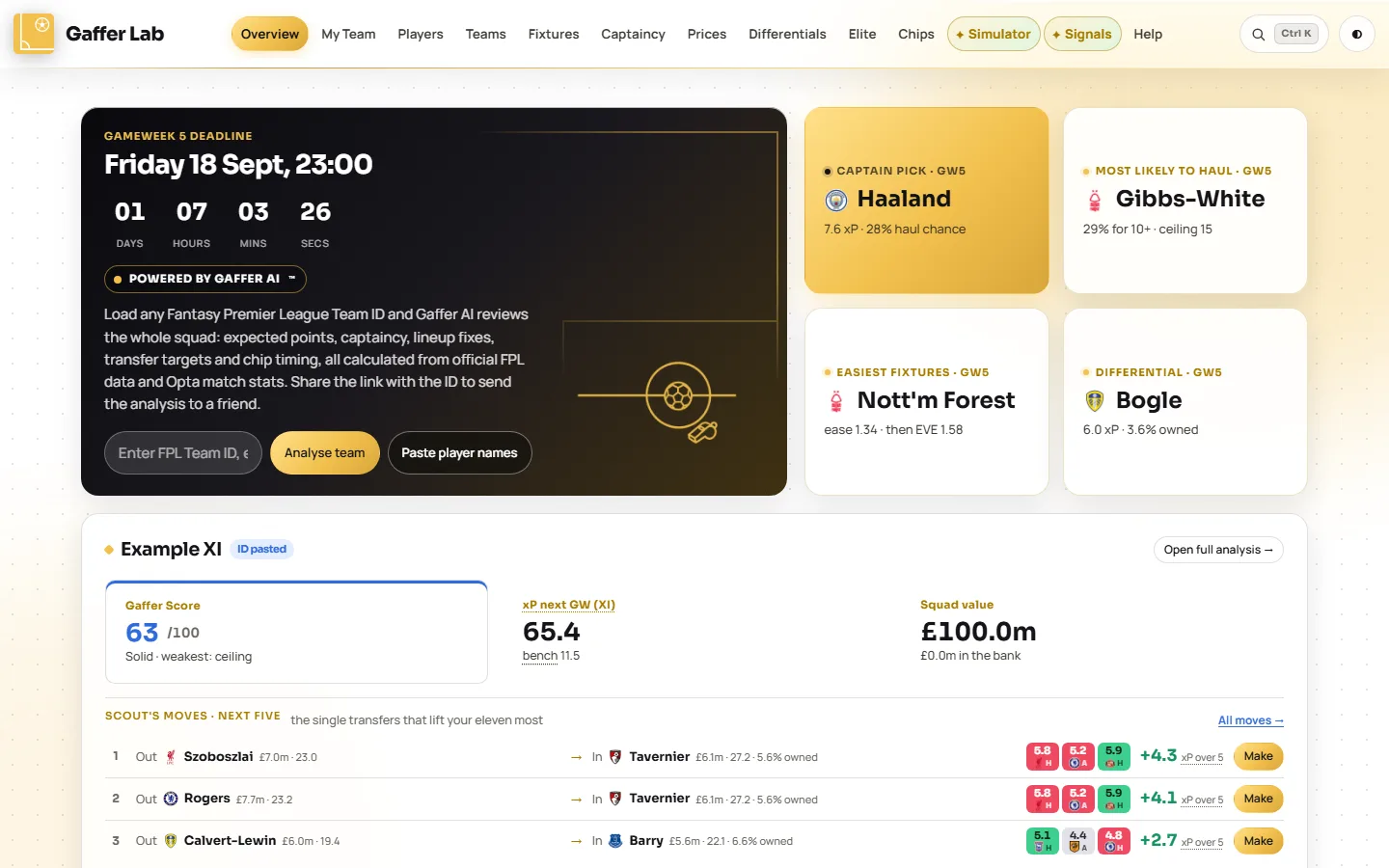
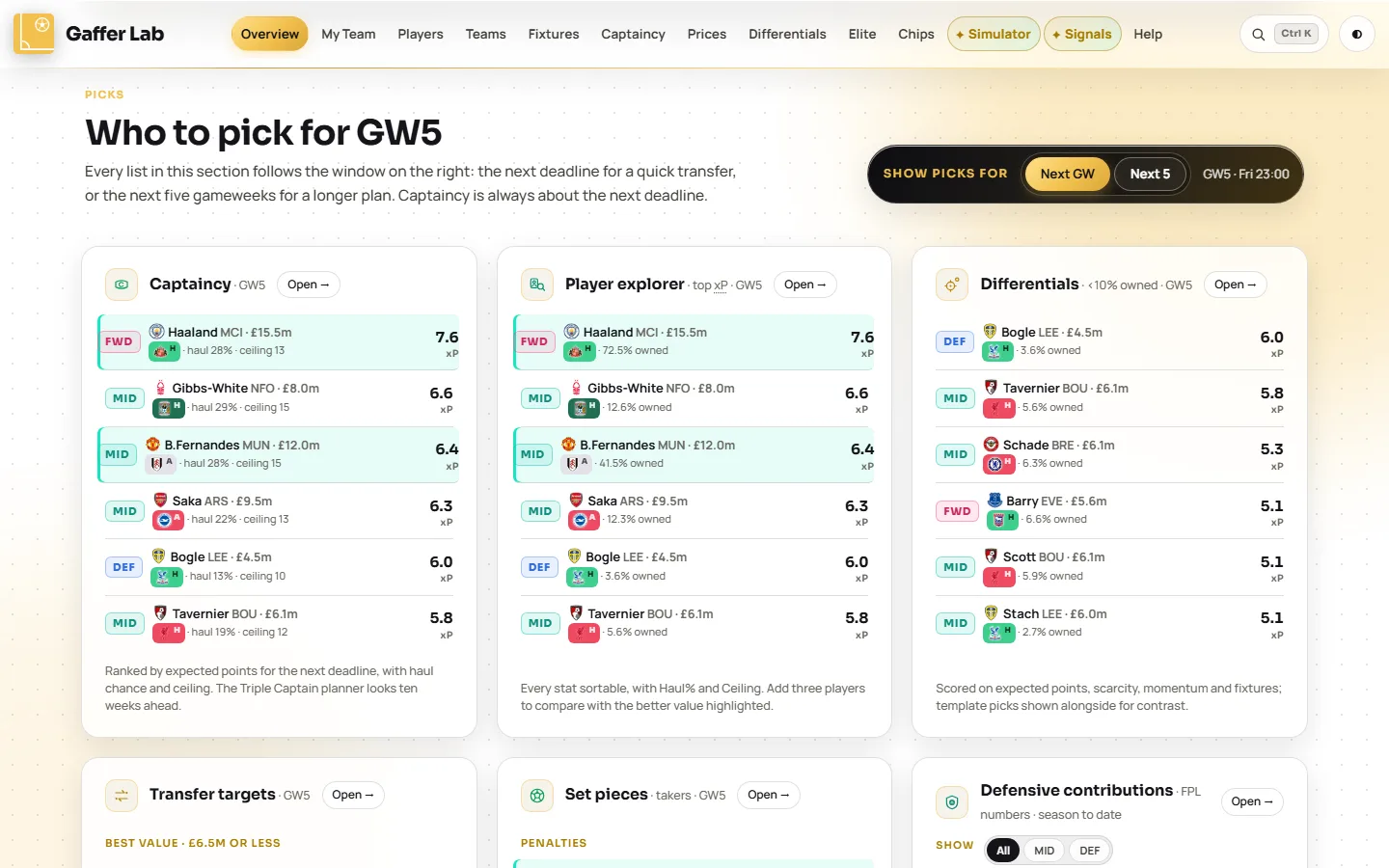
Open Overview →The landing page. A countdown to the deadline, the week's headline picks, and a short version of every other page, each with a button to go deeper.
What you can do
- Switch the window. Next GW for a quick transfer, Next 5 for a longer plan. Every list on the page follows.
- See your squad's headline numbers once a team is loaded: Gaffer Score, projected points, squad value, and Scout's top three transfers with a one-click Make button.
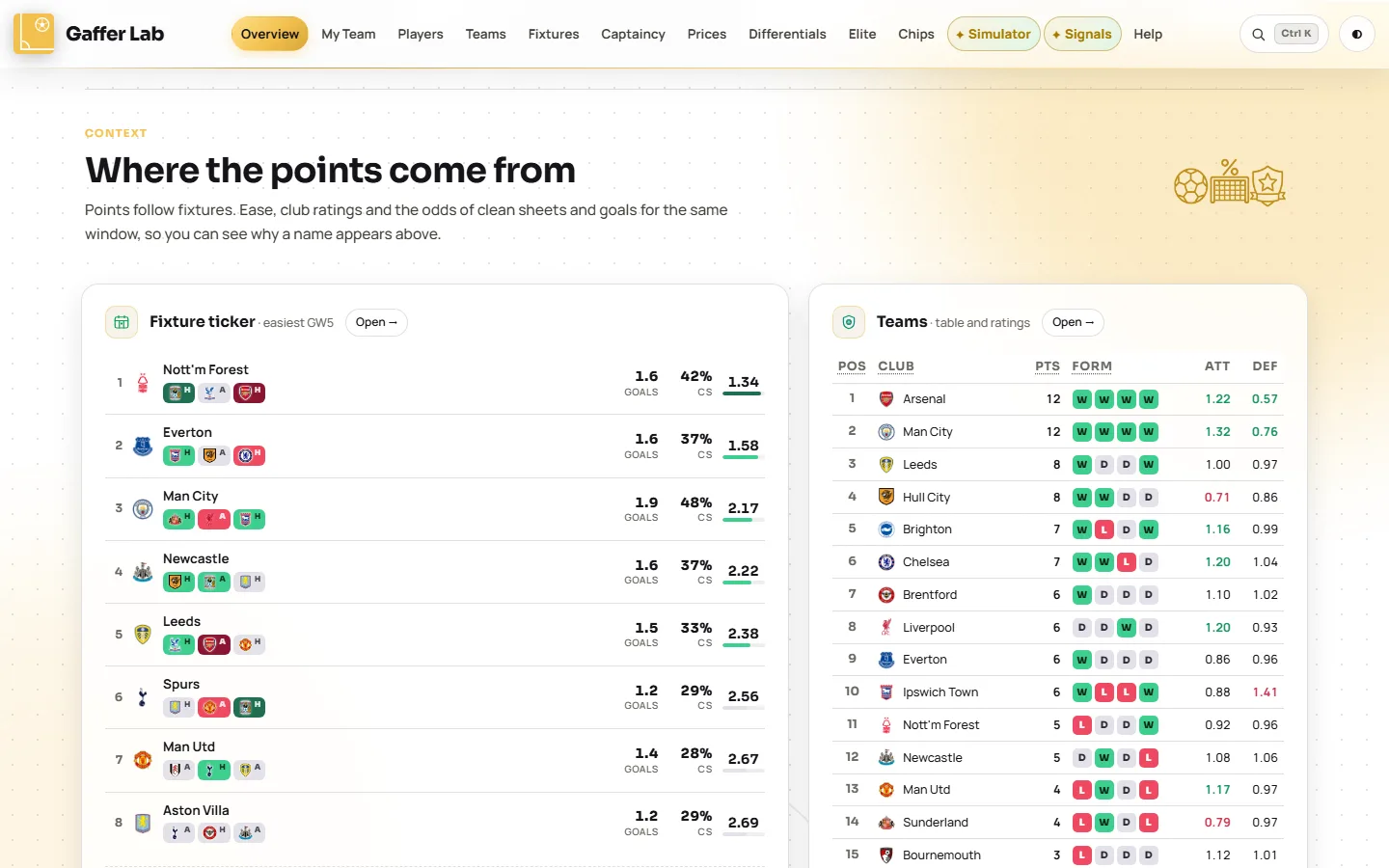
- Check the odds board. Each club's chance of a clean sheet and of scoring twice or more, with the best pick from that club.
- Scan set-piece takers and defensive contributions, the two sources of points most tables ignore.
- Catch tonight's price moves and the next double or blank gameweek for your chips.
Questions it answers
- When is the FPL deadline this week?
- Who is the best captain for this gameweek?
- Which clubs have the easiest fixtures right now?
- Which players are about to rise in price?
My Team: a full review of any FPL squad
Open My Team →Load a squad by Team ID and get a verdict: a score out of 100, what is holding it back, the transfers worth making, which chip to play and when. Then make the changes on the pitch and watch every number follow. On match days its Live tab scores the round as it is played.
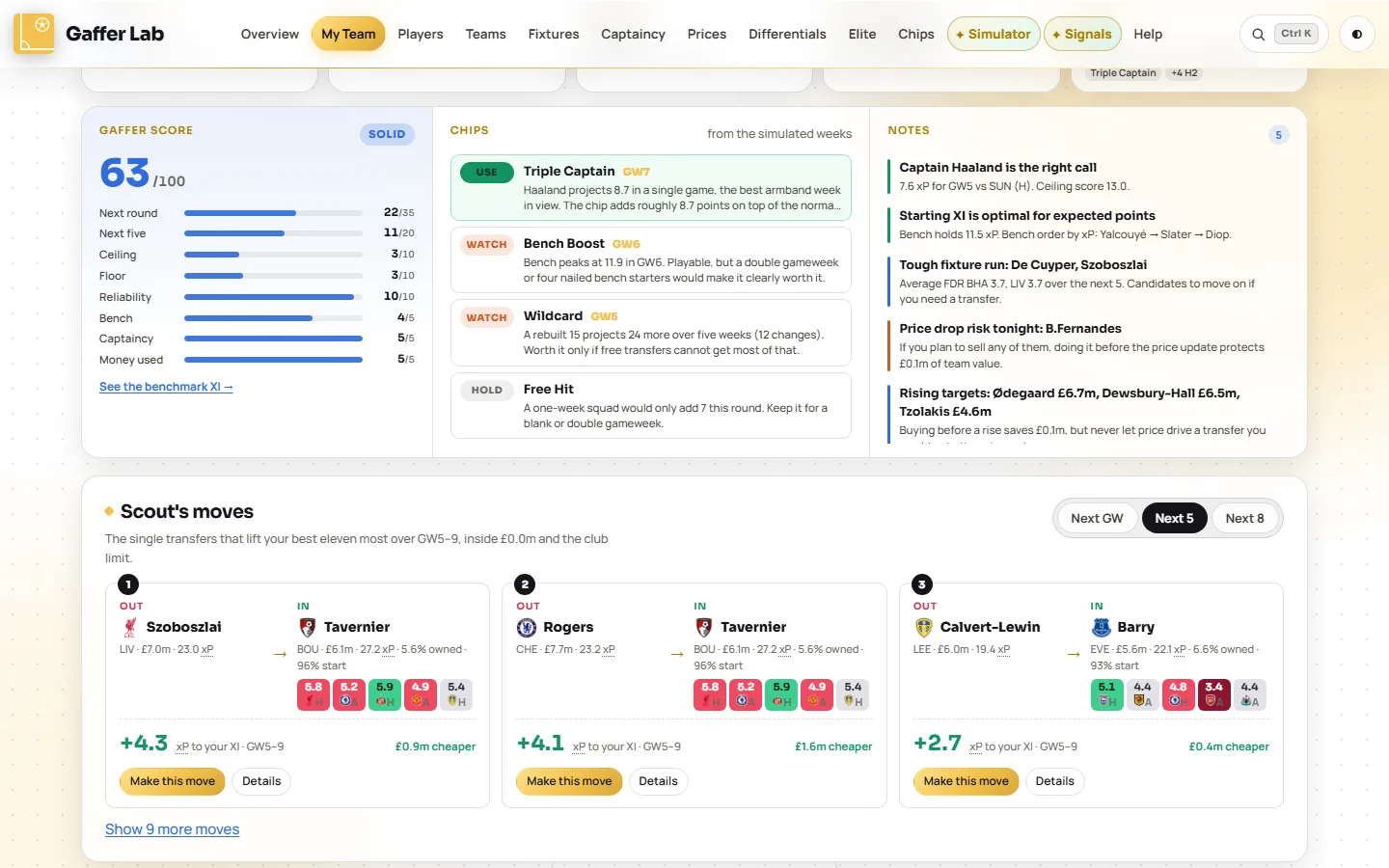
What you can do
- Load any public team, yours or a mini-league rival's, or paste player names for a quick look.
- Read the Gaffer Score. One number for the squad, measured against the best eleven the model could pick, with the weakest part named.
- Make Scout's moves with one click. The transfers that lift your best eleven most over the next gameweek, five or eight, with the cost of any hit shown.
- Plan on the pitch. Sell a player, fill the slot from the market, drag the bench into the eleven, move the armband. Undo puts anything back.
- Get chip advice for this squad: Triple Captain, Bench Boost, Wildcard and Free Hit, each with a reason.
- Switch to Live on match days for your running score, every match and your mini-league as it stands: see the Live tab of this guide.
Questions it answers
- How good is my FPL team, really?
- Which transfer should I make this week?
- Is it worth taking a four-point hit?
- Should I play my Wildcard or Bench Boost now?
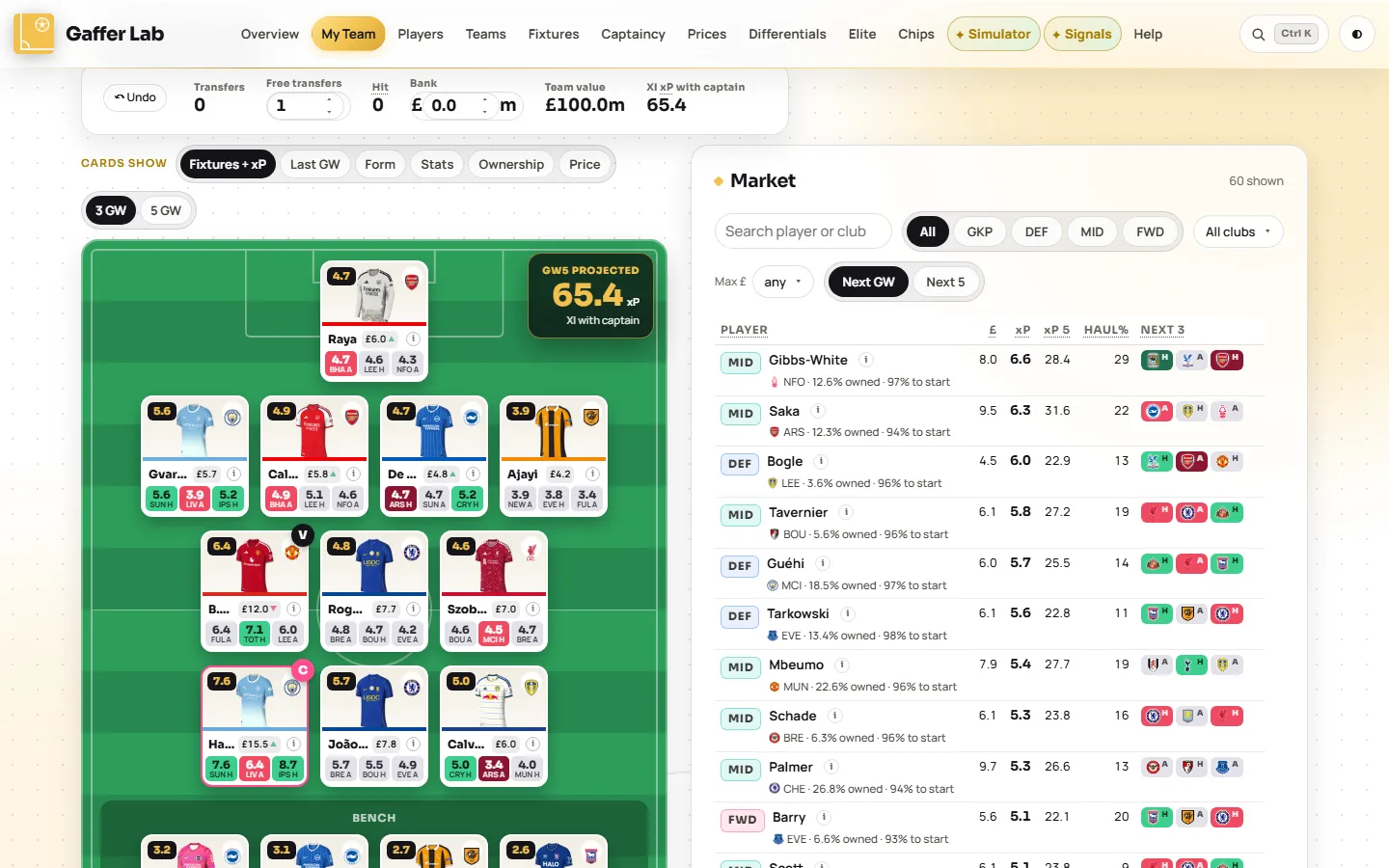
Good to know. FPL only publishes a team as it stood at the last deadline, so transfers you have already made this week will not show. Add them here and they are remembered for the round.
Live: the gameweek as it happens
Open Live →Once a round kicks off, My Team has a second tab. It reads FPL's live feed once a minute while matches are in play and scores your squad the way FPL will when the round ends, so the total you see is the one you are heading for, not the one the official site is still catching up to.
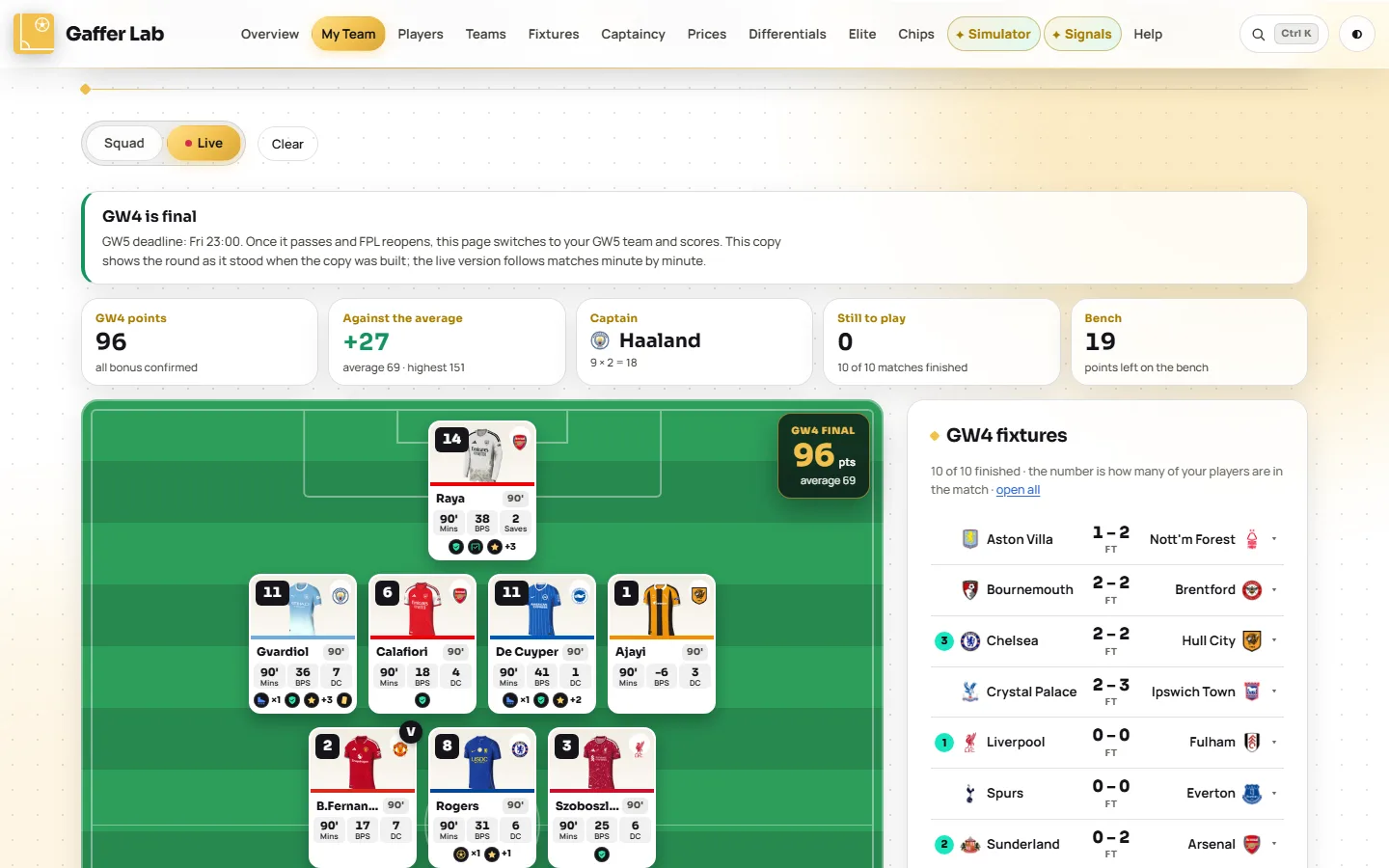
What you can do
- See your real total early. Until FPL confirms a match's bonus, the three highest BPS scores get a provisional 3, 2 and 1, marked with a star.
- Auto-subs and the vice-captain, projected. A starter with no minutes is replaced by the first bench player who fits the formation, exactly as FPL will do it.
- Watch your mini-league live. With a Team ID loaded, pick one of your leagues and every team in it is re-scored from the same feed, with places gained and lost, so the table runs ahead of FPL's own.
- Leave it open. It checks again at the next kick-off, and once the deadline passes it moves on to the new gameweek by itself. A one-line strip carries the running total onto the Squad tab.
Questions it answers
- How many points am I on right now?
- Who is getting the bonus points in this match?
- Will my bench player come on as an auto-sub?
- Where am I in my mini-league, live?
Live, player by playerEvery score and every stat in one view
Below the pitch sits one table for the whole squad, so you never have to open fifteen player pages to see how the week is going. Each row is a player: whether he is playing, finished or did not play, his minutes, then a column for everything that earns or costs points, his BPS, his bonus, his points and what he adds to your total once the captain's armband is counted.
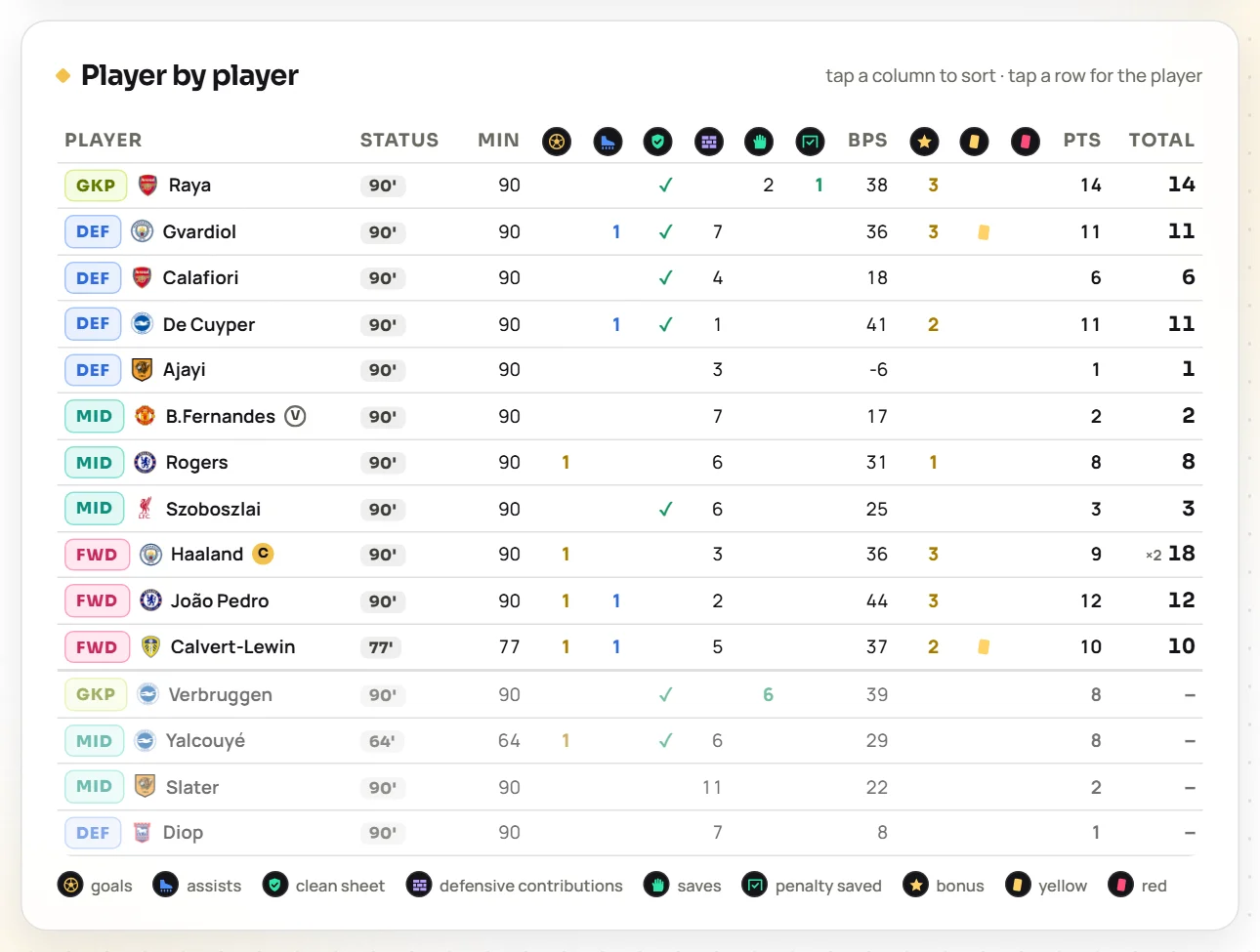
- Read a week in ten seconds. Goals in gold, assists in blue, a tick for a clean sheet, defensive contributions and saves as counts, cards as cards.
- Sort by any column. Tap BPS to see who is in line for bonus, or points to see who is carrying the team. One tap returns to team order.
- Spot the bench points. Bench rows show what each player scored and a dash in the total, until an auto-sub brings one in.
- Tap a row for the player's full panel.
- Open any match in the fixtures list for its match sheet: scorers, assists, bonus, defensive-contribution hits, saves and cards for both sides, with your own players underlined. The number on a fixture is how many of your players are in it.
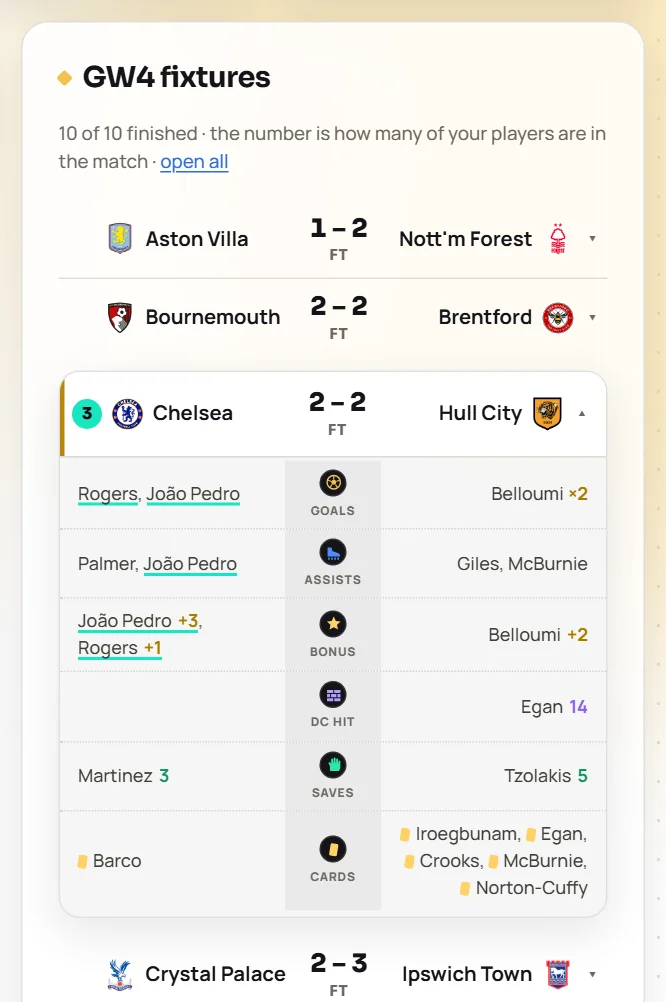
Good to know. Live needs a loaded squad, so load a Team ID on My Team first. The mini-league table needs a Team ID; a pasted squad has no leagues. FPL publishes ranks after each match day, so the only live table is your mini-league, which is re-scored here.
Players: every player, every number
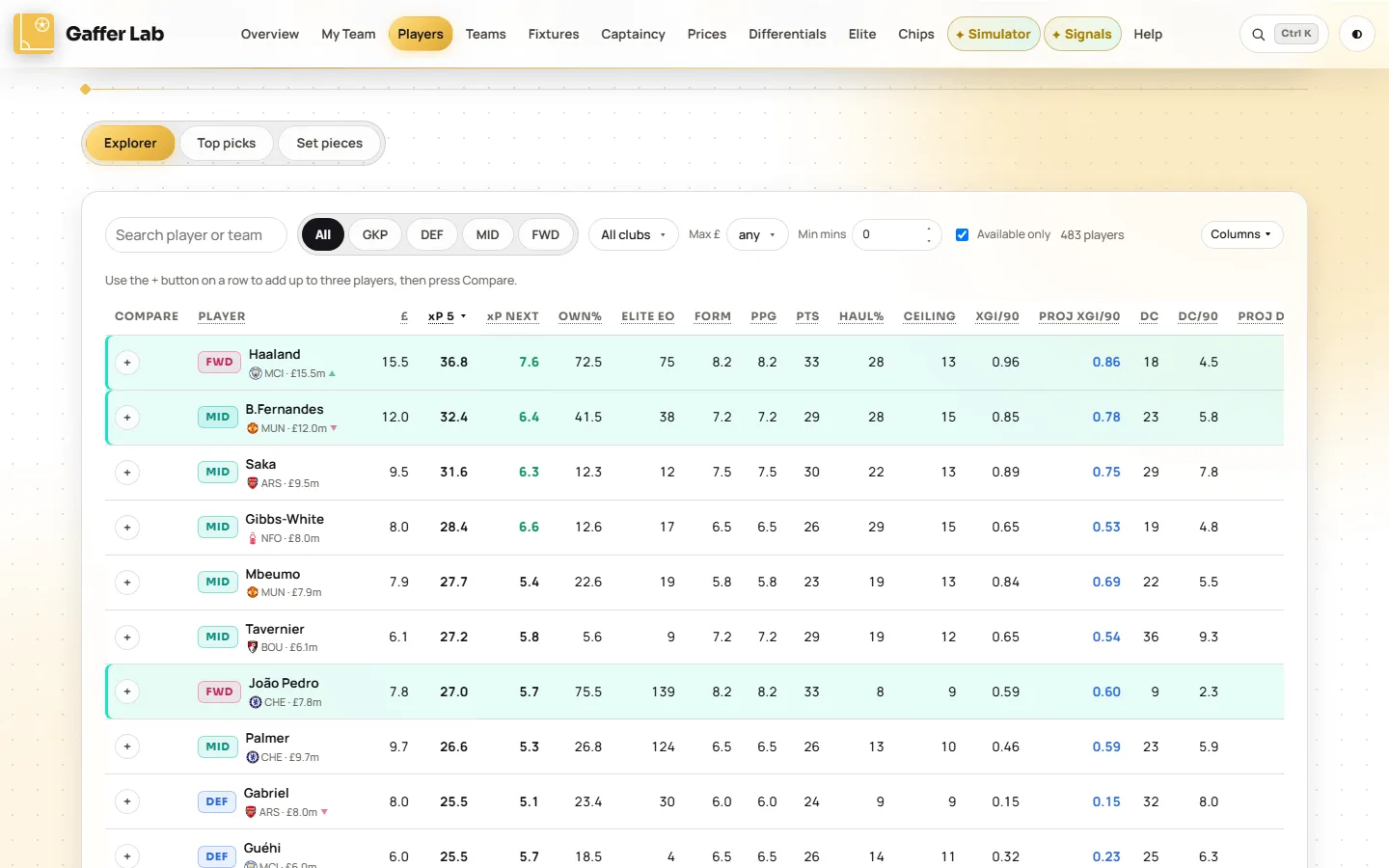
Open Players →A sortable table of every FPL player with a modelled expected-points projection, the Opta underlying numbers and the fixture run. Three tabs: the explorer, the top picks by position, and set-piece takers.
What you can do
- Rank by expected points for the next gameweek, five or eight, or by value per £m.
- Judge risk, not just the average. Haul% is the chance of 10 or more points; Ceiling is how good a good week gets.
- Compare up to three players side by side, with the better figure highlighted.
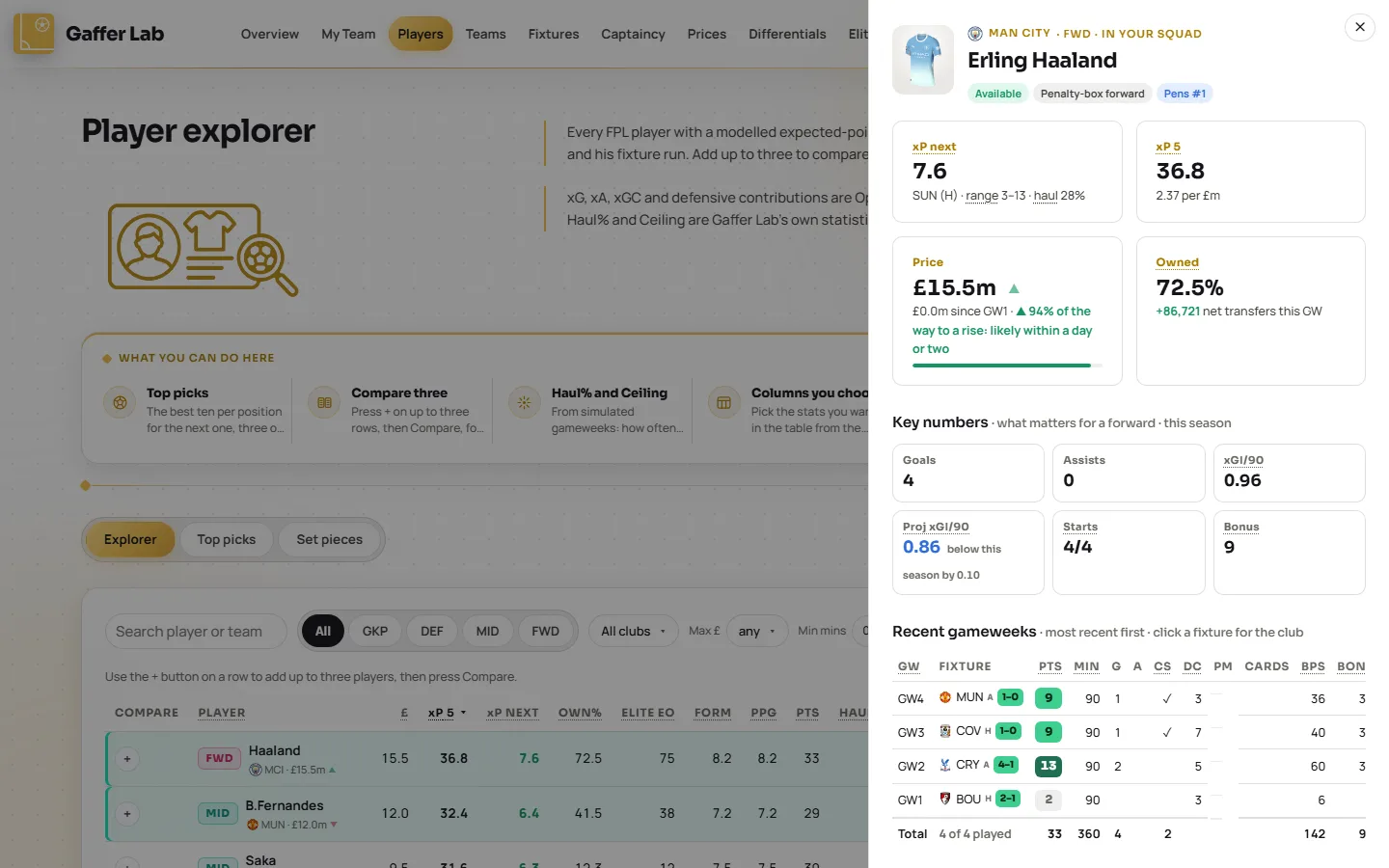
- Open any player for the points breakdown, his record gameweek by gameweek and his price trend.
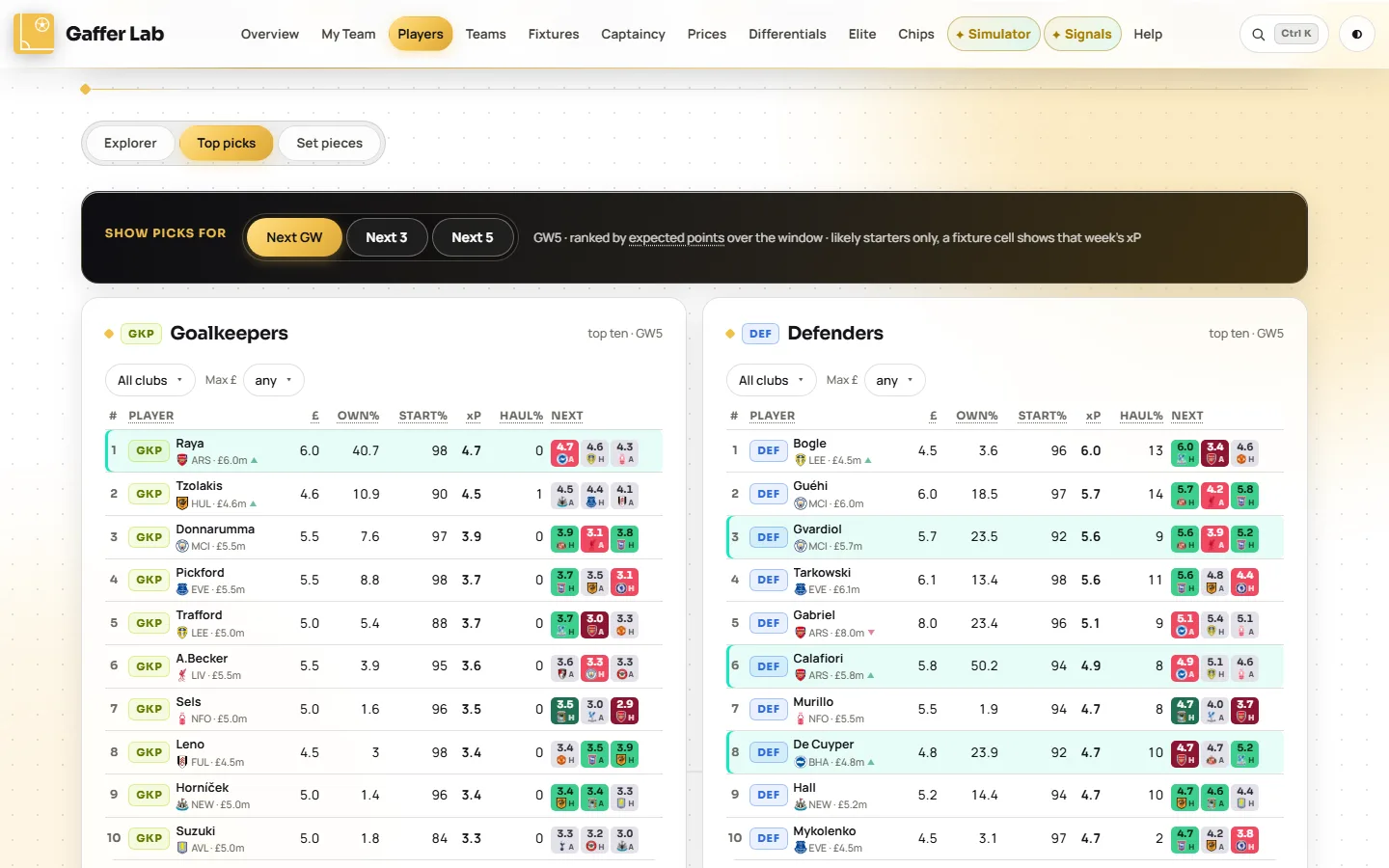
- Use Top picks for the ten best options in each position, filtered by club and maximum price.
- Check set pieces: who takes penalties, corners and free kicks at all 20 clubs.
Questions it answers
- Who are the best FPL midfielders under £7m?
- Which player has the highest expected points this week?
- Salah or Palmer: who is the better pick?
- Who is on penalties for each club?
Teams: how good is every club, really?
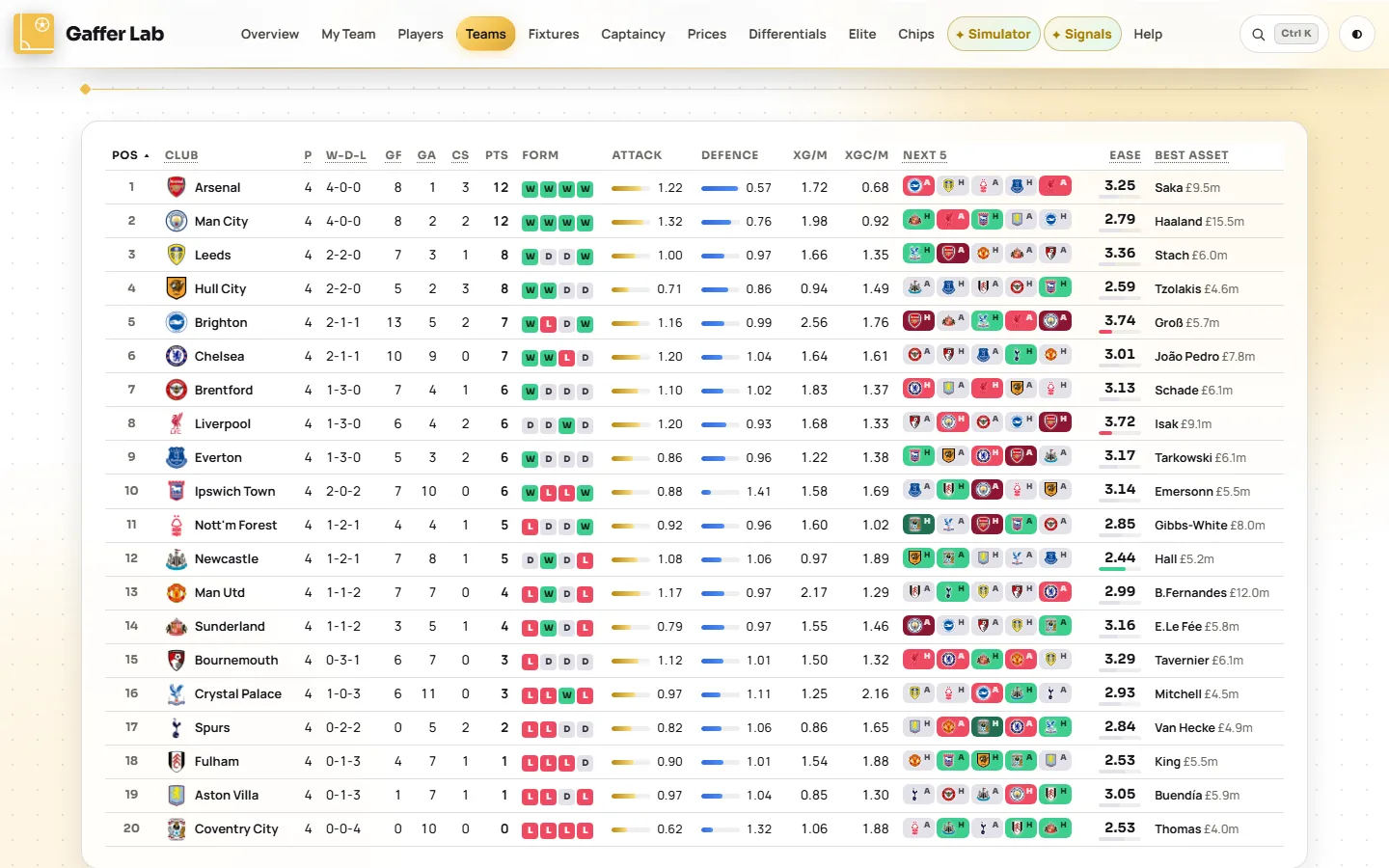
Open Teams →All 20 clubs with an attack rating and a defence rating from a statistical model of results and expected goals, where 1.00 is a league-average side. The ratings drive fixture difficulty and every player's projection.
What you can do
- Rank clubs by attack, defence, form or fixture ease.
- See the targets: clubs projected to score most and to keep the most clean sheets over the next five, and the ones to avoid.
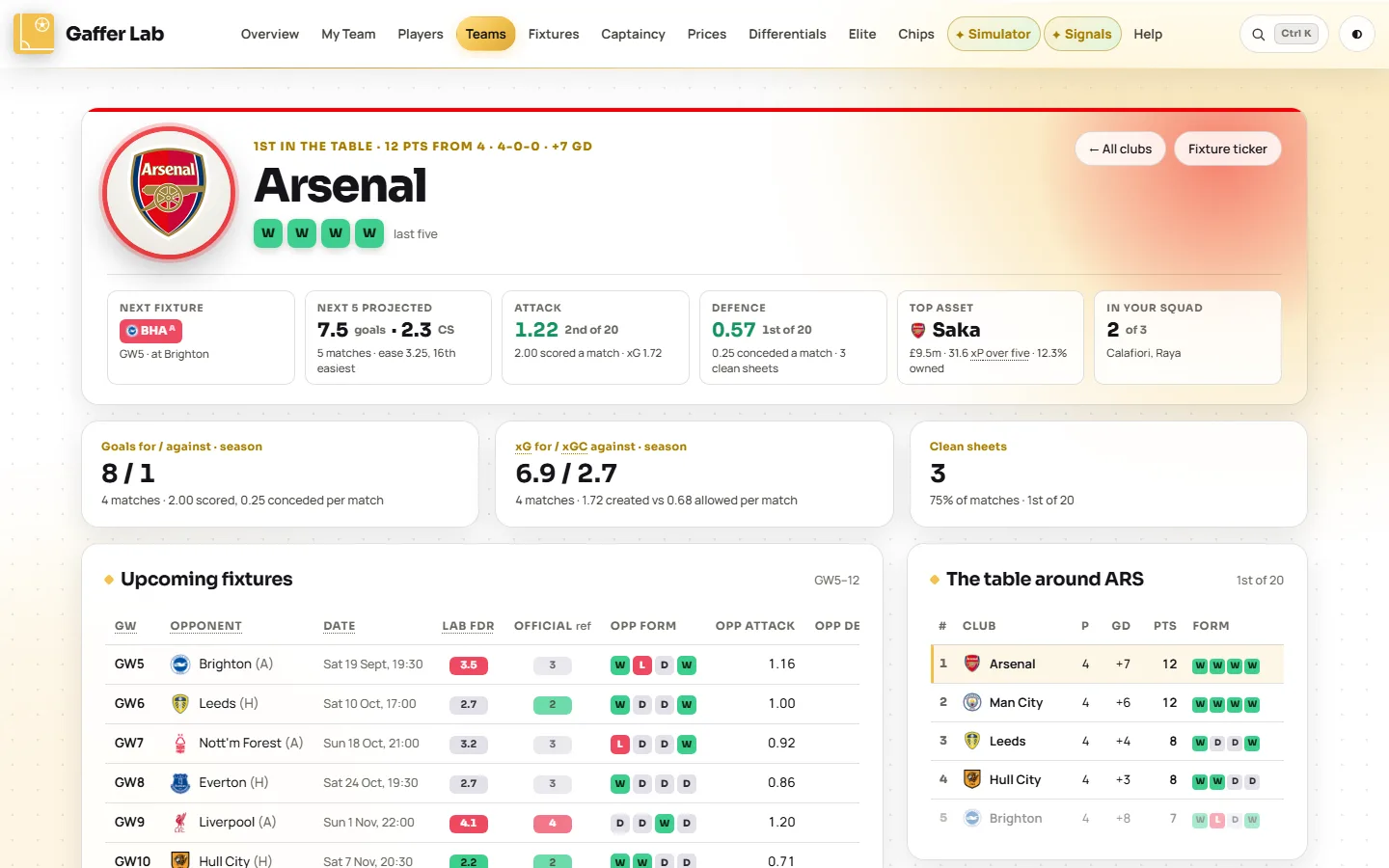
- Open a club page for its squad, key assets, upcoming fixtures and the table around it.
- Look back at any match: scorers, assists, and every player's points, minutes and bonus.
- Check head to head against each of the next five opponents.
Questions it answers
- Which Premier League defences are actually the best?
- Which team is creating chances but not scoring?
- Which clubs should I target for clean sheets?
Fixtures: the ticker, read properly
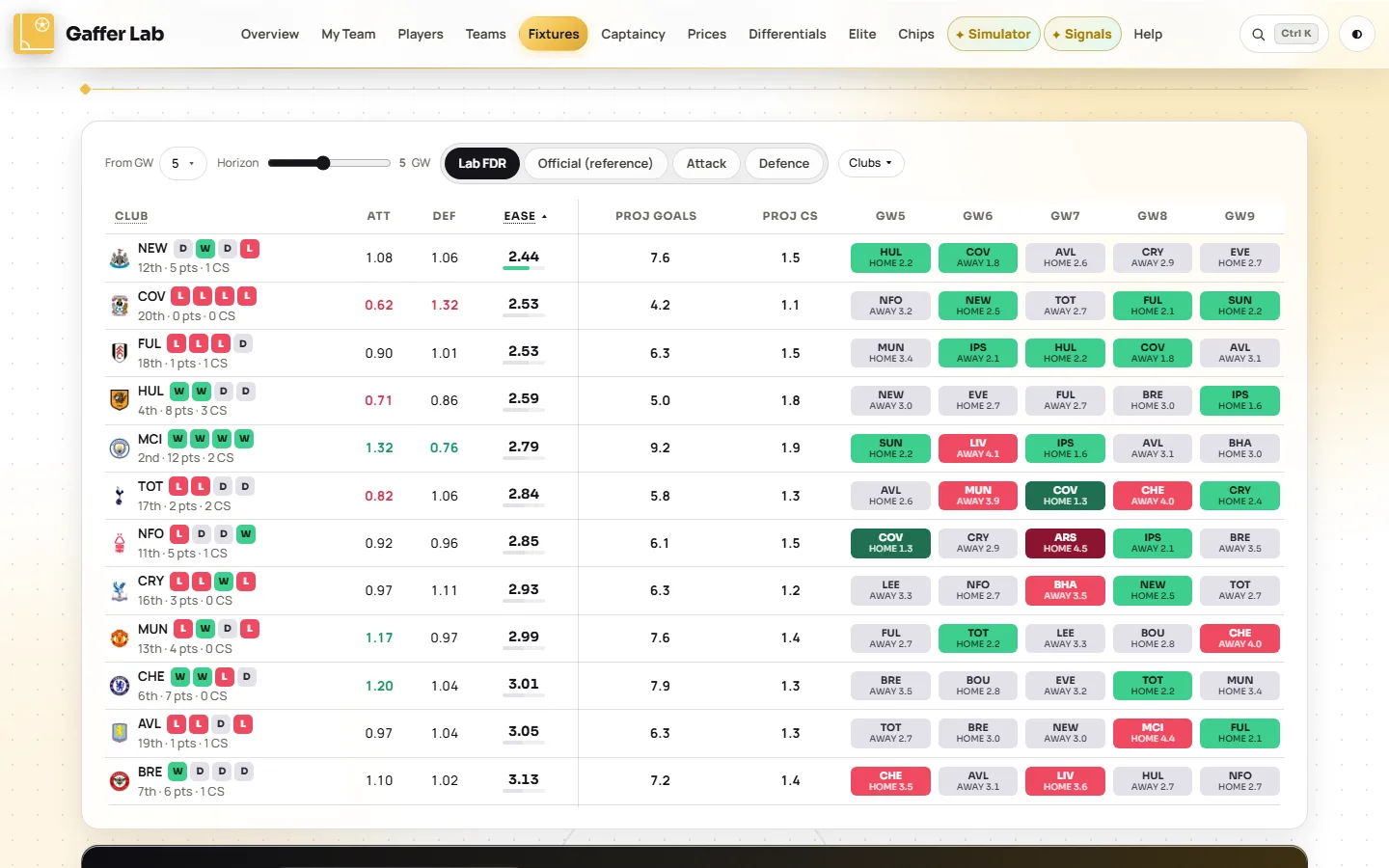
Open Fixtures →Every club's run of fixtures, ranked easiest first and coloured by Lab FDR, a 1 to 5 difficulty rating built from the opponent's modelled attack and defence, their form and the venue.
What you can do
- Switch the rating: Lab FDR, FPL's official rating, or separate Attack and Defence views for attackers and defenders.
- Plan ahead from any gameweek, not just the next one, to time a Wildcard or spot a swing in fixtures.
- See what a run is worth: projected goals and clean sheets for each club over the window.
- Get player targets for the window you chose: attackers from the best attacking runs, defenders and keepers from the best defensive ones.
- Hover a cell to see the parts that make up its rating.
Questions it answers
- Which teams have the best fixtures over the next five gameweeks?
- When do this club's fixtures turn?
- Is there a double or blank gameweek coming?
Captaincy: three answers, not one
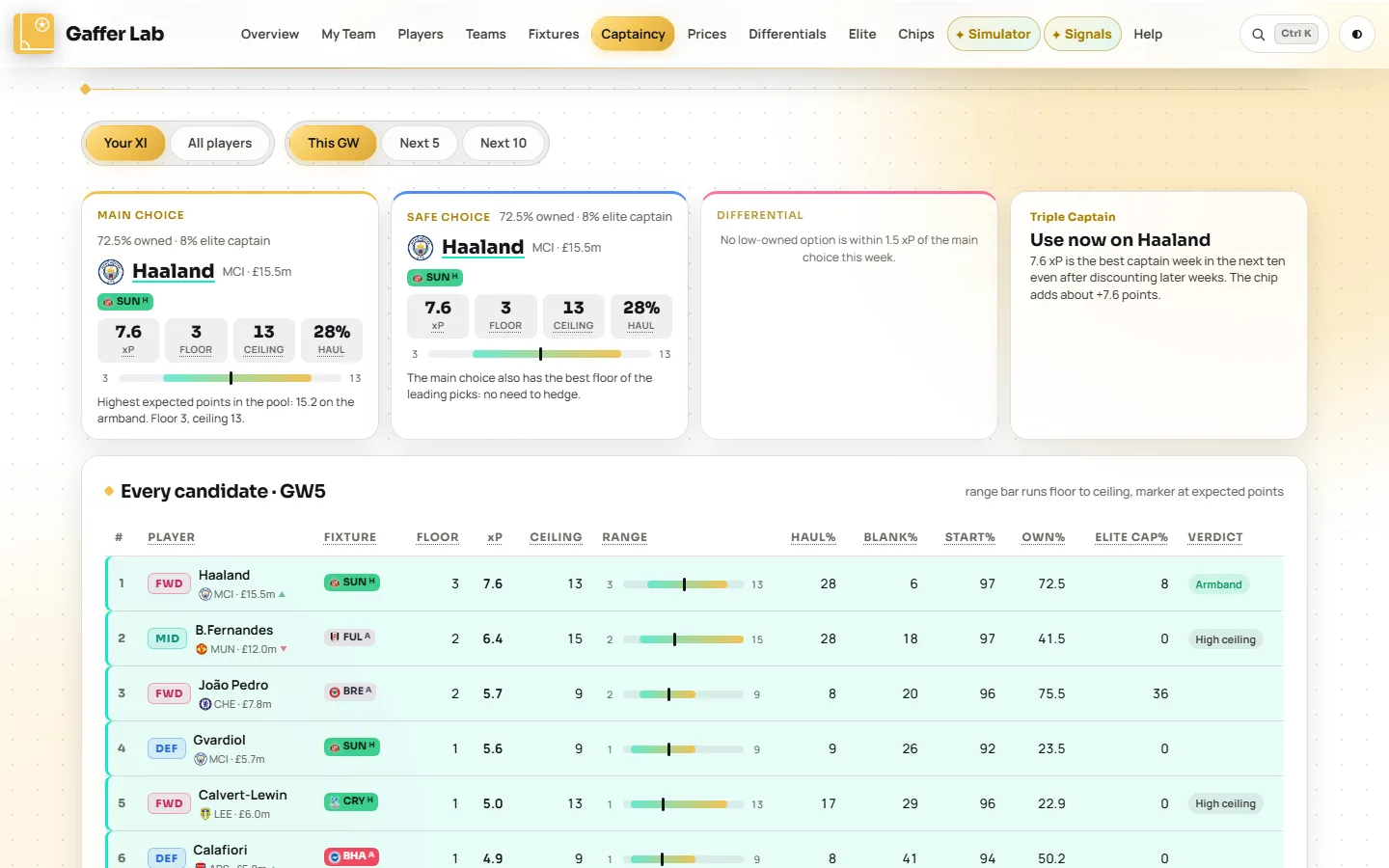
Open Captaincy →The armband doubles one player's score, so it is the biggest decision of the week. This page gives a main choice, a safe choice and a differential, and shows the floor and ceiling of every candidate from hundreds of simulated gameweeks.
What you can do
- Pick by temperament. Main is the highest projection, Safe has the best floor among the leaders, Differential is owned by under 15% with a ceiling close to the main pick's.
- Rank your own eleven once a team is loaded, or every likely starter in the game.
- Look five or ten gameweeks ahead for the best three captains each week and how clear the choice is.
- Find the Triple Captain week: the best player and gameweek over the next ten.
Questions it answers
- Who should I captain in FPL this week?
- Is there a good differential captain?
- When should I use my Triple Captain chip?
Prices: who moves tonight
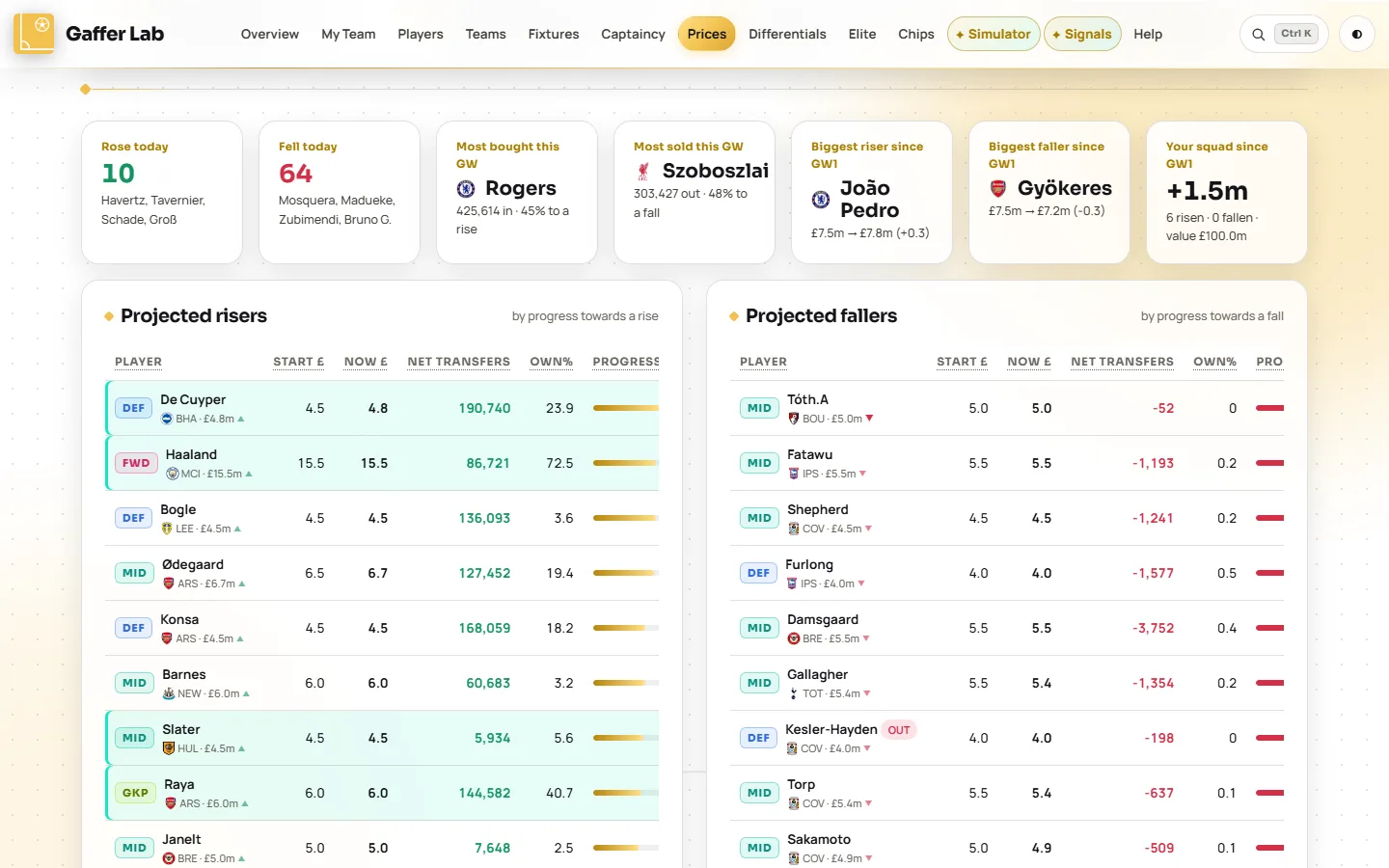
Open Prices →Projected price rises and falls from FPL's own progress figures and this week's transfers, plus a tracker of every player's price since the season started.
What you can do
- Buy before a rise, sell before a fall when you were going to make the move anyway.
- Track the whole season: start price, price today, the change and the trend for every player.
- Filter by position, club, your squad only, or only players who have moved.
- Watch your team value: what your squad has gained or lost since August.
Questions it answers
- Which FPL players are rising in price tonight?
- Is anyone in my team about to drop?
- Who has gained the most value this season?
Differentials: be right where the crowd is wrong
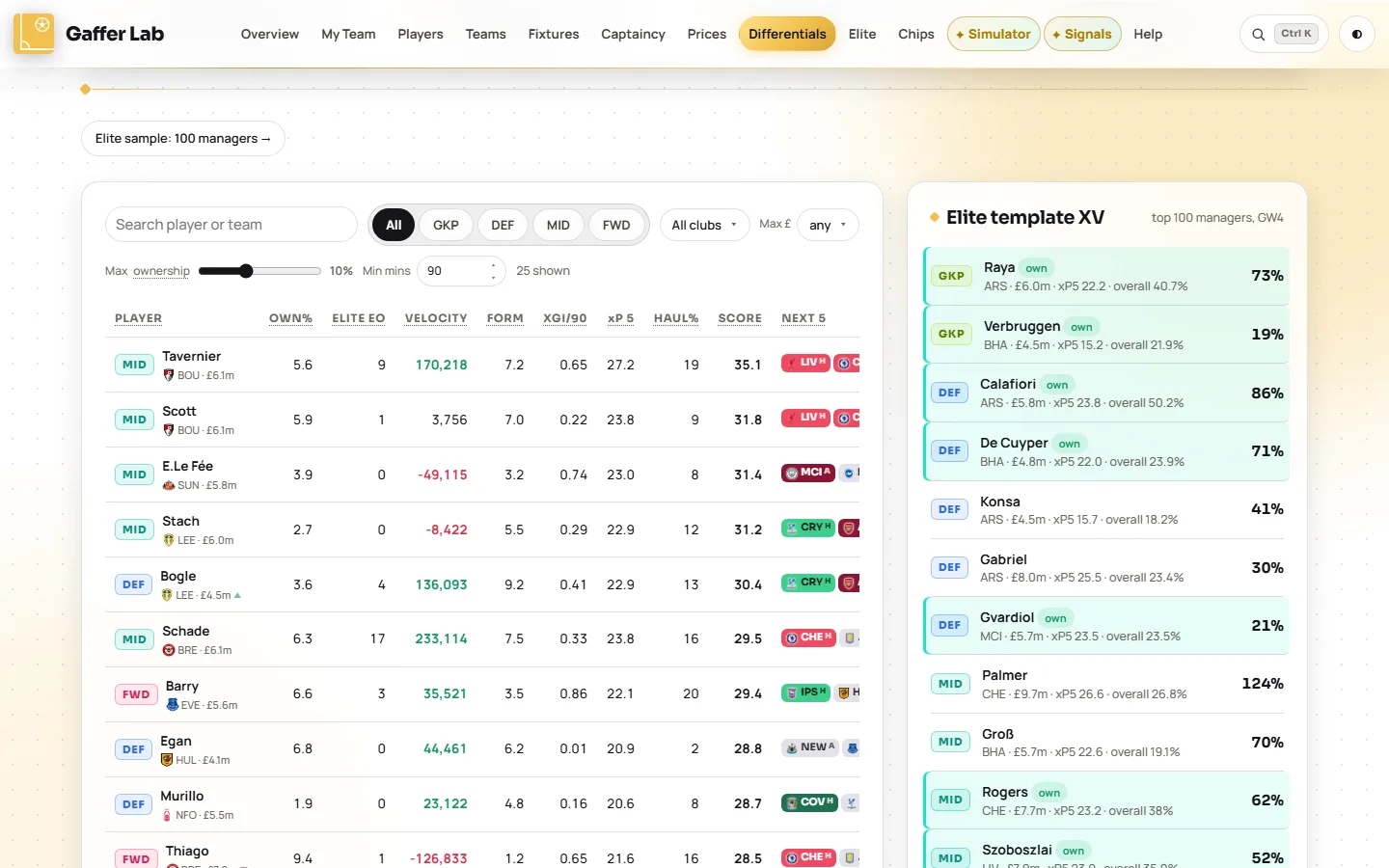
Open Differentials →Rank is gained with players other managers do not own. This page scores low-owned players on five-week expected points, scarcity, form and fixtures, and sets them beside the template squad most managers hold.
What you can do
- Set your own definition of a differential with the ownership slider, from 1% to 25%.
- Sort by the differential score, or by expected points, form or transfer velocity to catch a bandwagon early.
- Filter by position, club, price and minutes played.
- Compare with the template to see how exposed you are to the players everyone owns.
Questions it answers
- Who are the best FPL differentials this week?
- Which low-owned players have good fixtures?
- How template is my team?
Elite: what the best managers hold
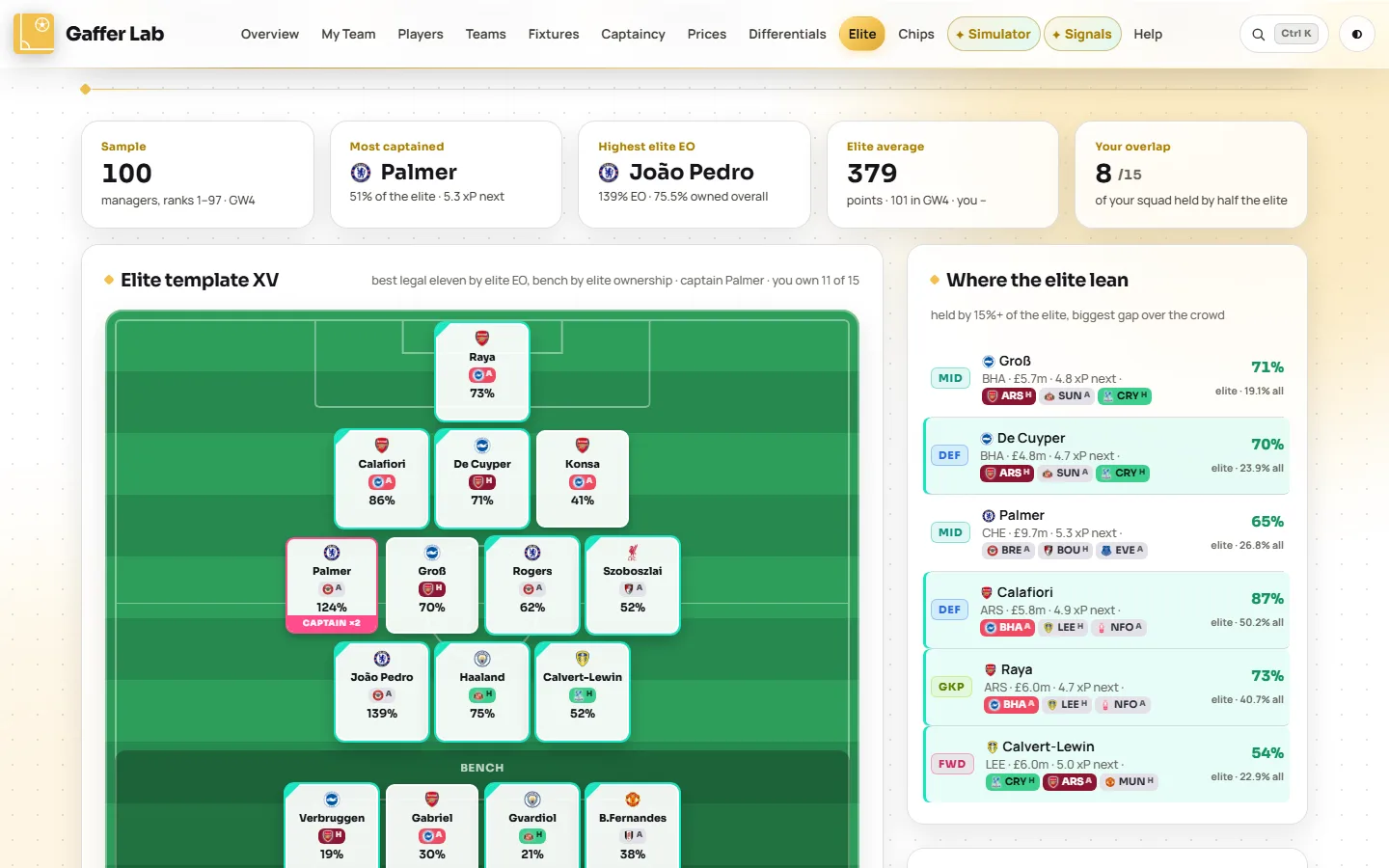
Open Elite →The real squads of the top-ranked managers in the overall league: who they own, start and captain, their template eleven, and where they lean away from everyone else.
What you can do
- See the elite template XV on a pitch, and how many of those players you hold.
- Find the gaps: players the elite back that the crowd has missed, and popular players the elite skip.
- Check elite captaincy beside the model's own view of the same players.
- Browse every player by elite ownership, starts, captaincy and effective ownership.
- Open any sampled manager's squad.
Questions it answers
- What do the top 100 FPL managers own?
- Who are the best managers captaining?
- What is effective ownership, and whose is highest?
Simulator: build any 15 and see how it scores
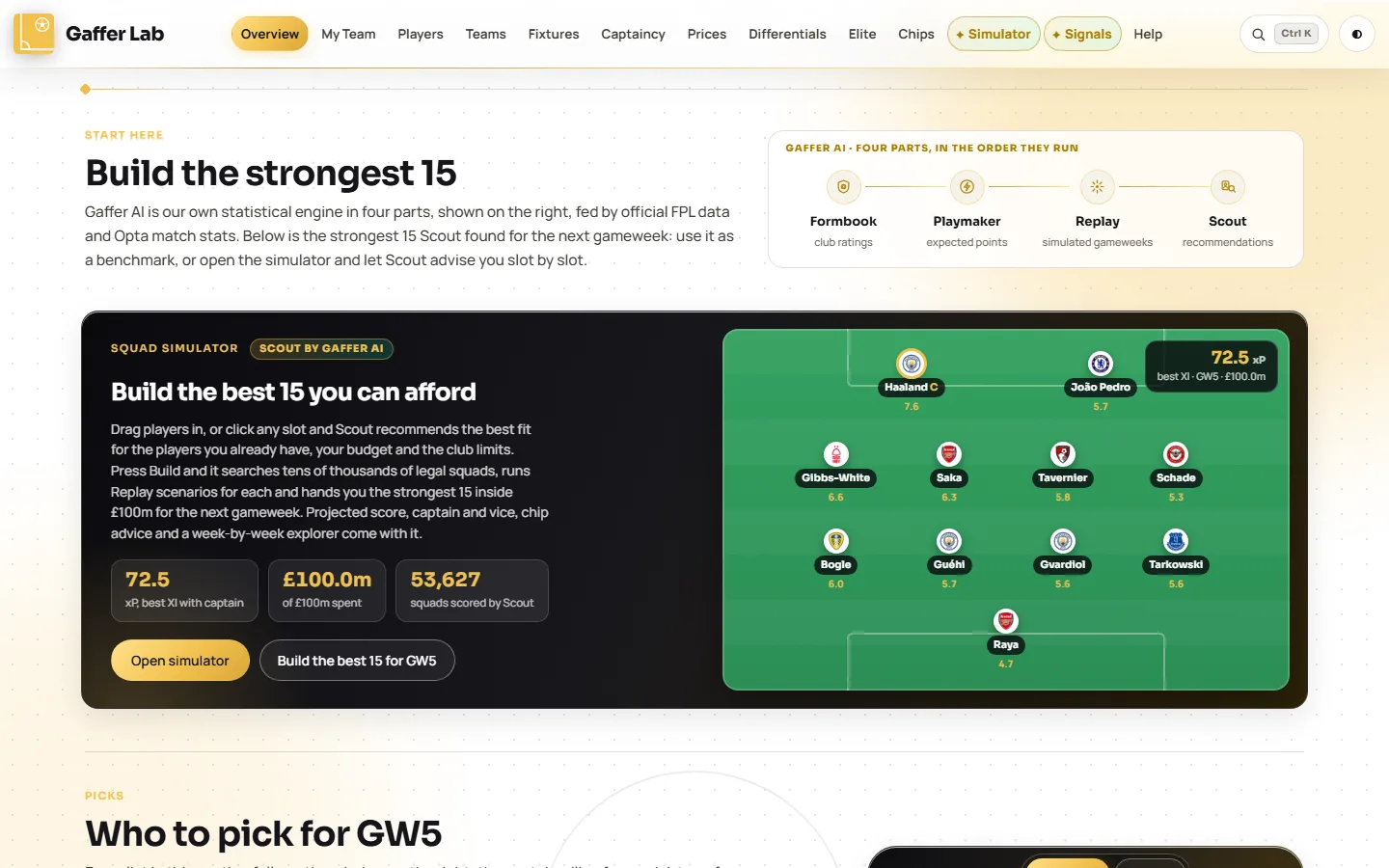
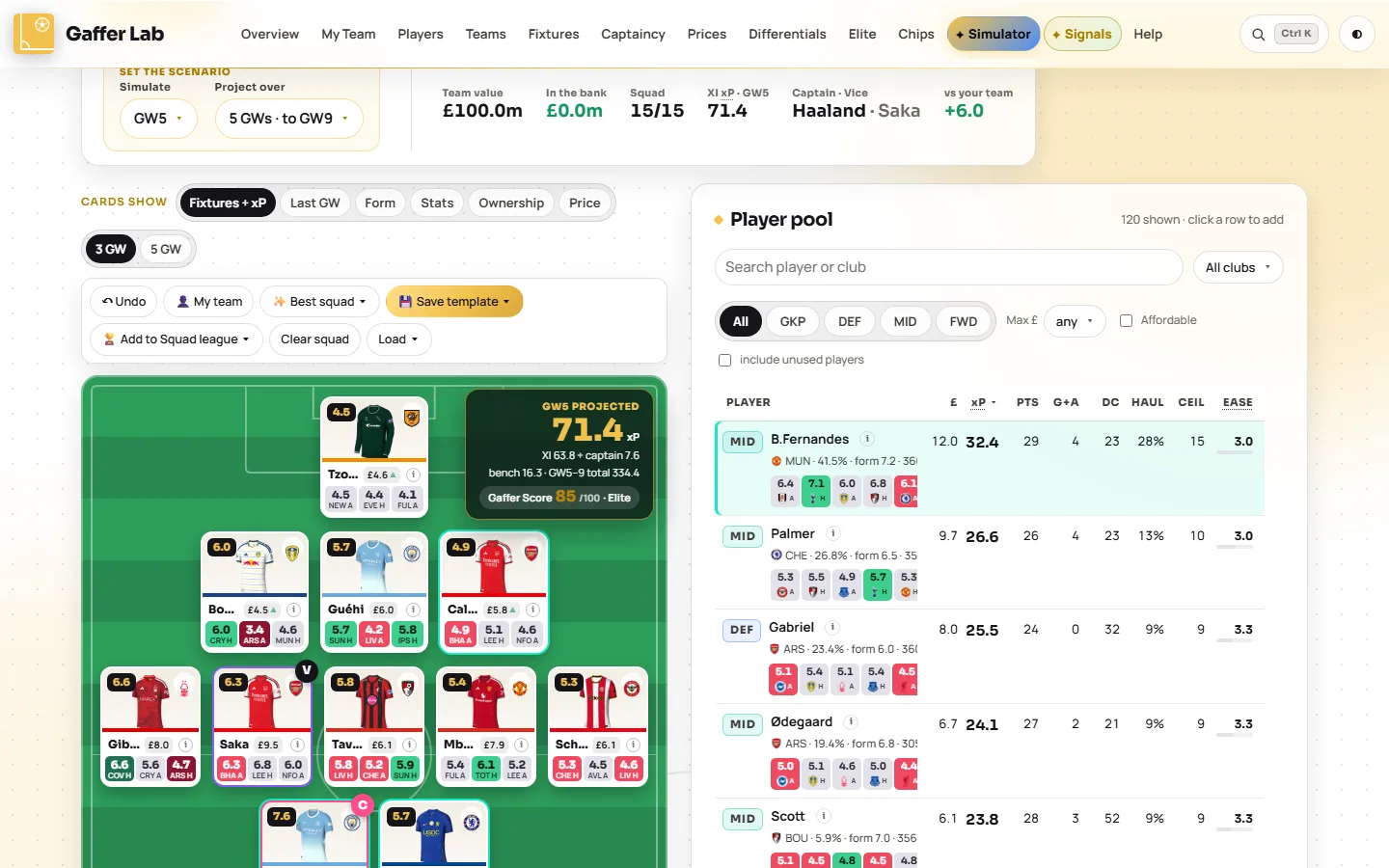
Open Simulator →A squad builder with the FPL rules built in: £100m, fifteen players, three per club. Build by hand with advice on every slot, or let Scout search tens of thousands of squads and hand you the strongest one.
What you can do
- Press Best squad for the strongest legal 15 for the next one, three or five gameweeks.
- Click an empty slot and Scout recommends players who fit your budget and club limits.
- Start from your own team with one button, then try the changes you are considering.
- Go week by week: the best eleven, captain and bench for each gameweek, with a transfer plan of one free transfer a week.
- Draft a Wildcard or Free Hit and see its score before you commit.
- Save five named squads and come back to them. Undo reverses any move.
Questions it answers
- What is the best FPL team for £100m right now?
- What should my Wildcard team look like?
- Does this squad score better than my current one?
Squad league: the model, kept honest
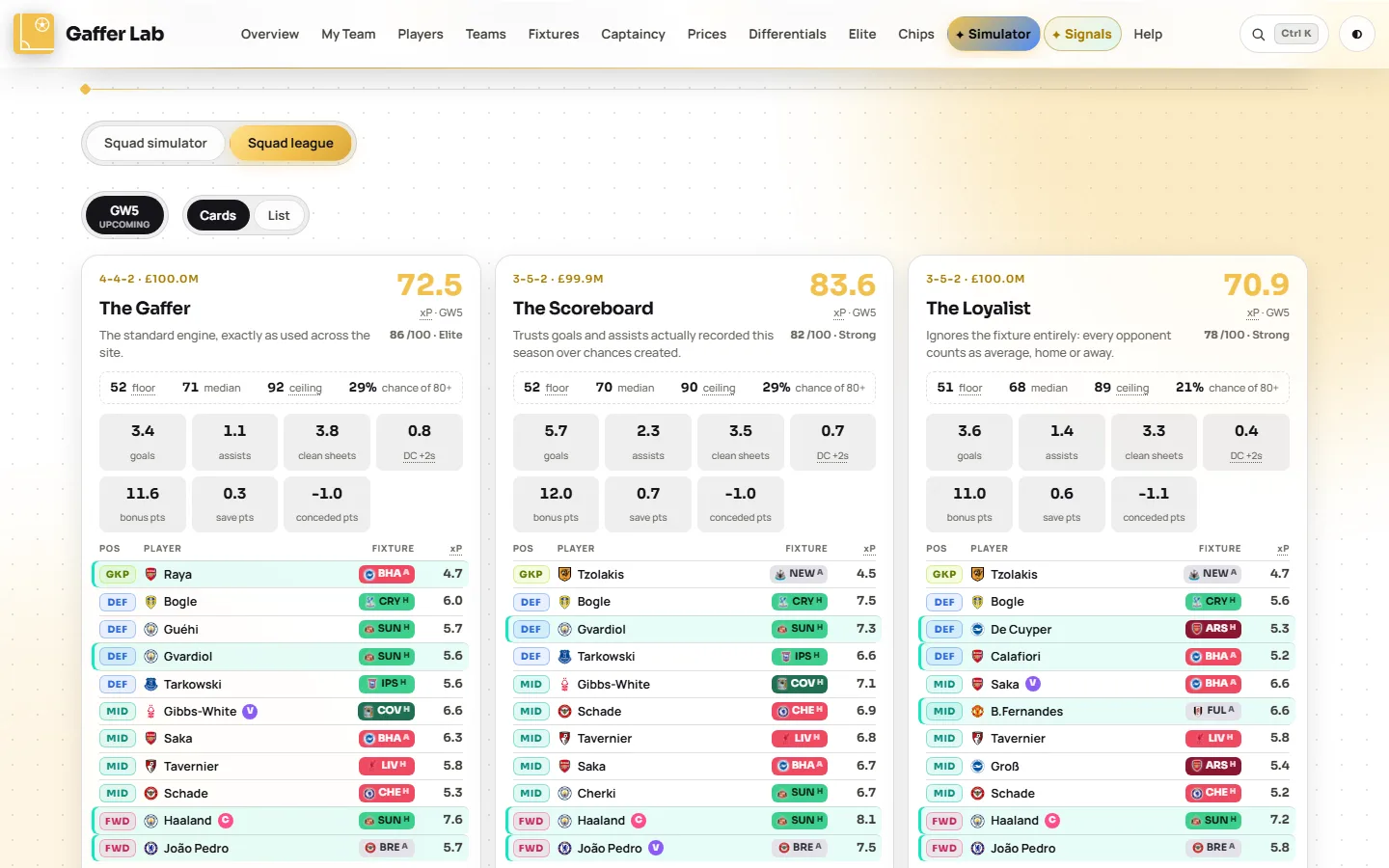
Open Squad league →Six squads built by six different readings of the same data, each frozen at the deadline and then scored against real points, live while the round is being played. Your own team and up to five squads from the simulator sit in the same table.
What you can do
- Compare philosophies: the standard engine, one that trusts goals over chances, one that ignores fixtures, a gambler chasing ceilings, a fixture reader and a contrarian who avoids popular players.
- Add your own squads from the simulator and race them against the model.
- Go back through past gameweeks with the round picker: every squad scored from FPL's feed, live during the matches, with the same provisional bonus and auto-sub rules as My Team.
- Switch between cards and a list: one sortable line per squad, projection against points.
- Check the track record: projected against actual, squad by squad, round by round.
- Open any squad in the simulator to study or adapt it.
Questions it answers
- How accurate were last week's projections?
- Does chasing fixtures beat backing the best players?
- Would my draft have beaten the model?
Signals: what the data flags this week
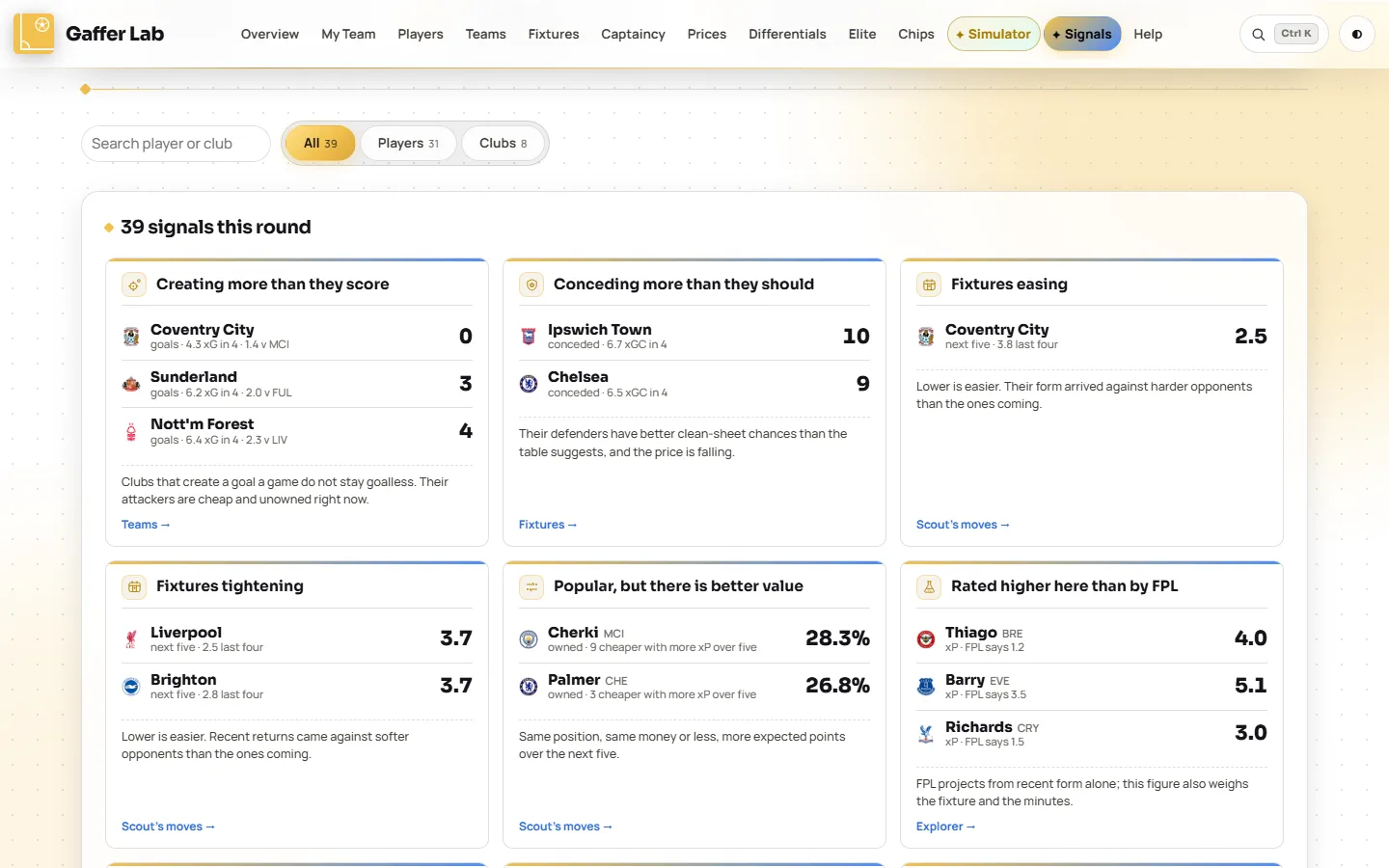
Open Signals →A page of findings calculated from the numbers alone and refreshed every gameweek. No opinions, no sponsored picks: each card is a pattern in real match data, with a link to the page behind it.
What you can do
- Spot luck running out or about to turn: goals against expected goals for clubs and players.
- Catch fixture swings before the ticker makes them obvious.
- See where the model disagrees with FPL's own projections and with the crowd's ownership.
- Be warned about rotation, players one booking from a ban, and price moves.
- Find your own players with search; squad members carry a teal edge.
Questions it answers
- Which players are underperforming their xG?
- Which popular players should I think about selling?
- Who is one yellow card from a suspension?
Chips and Help
Open Help →Two smaller pages, a search that reaches everything, and a few things that work everywhere.
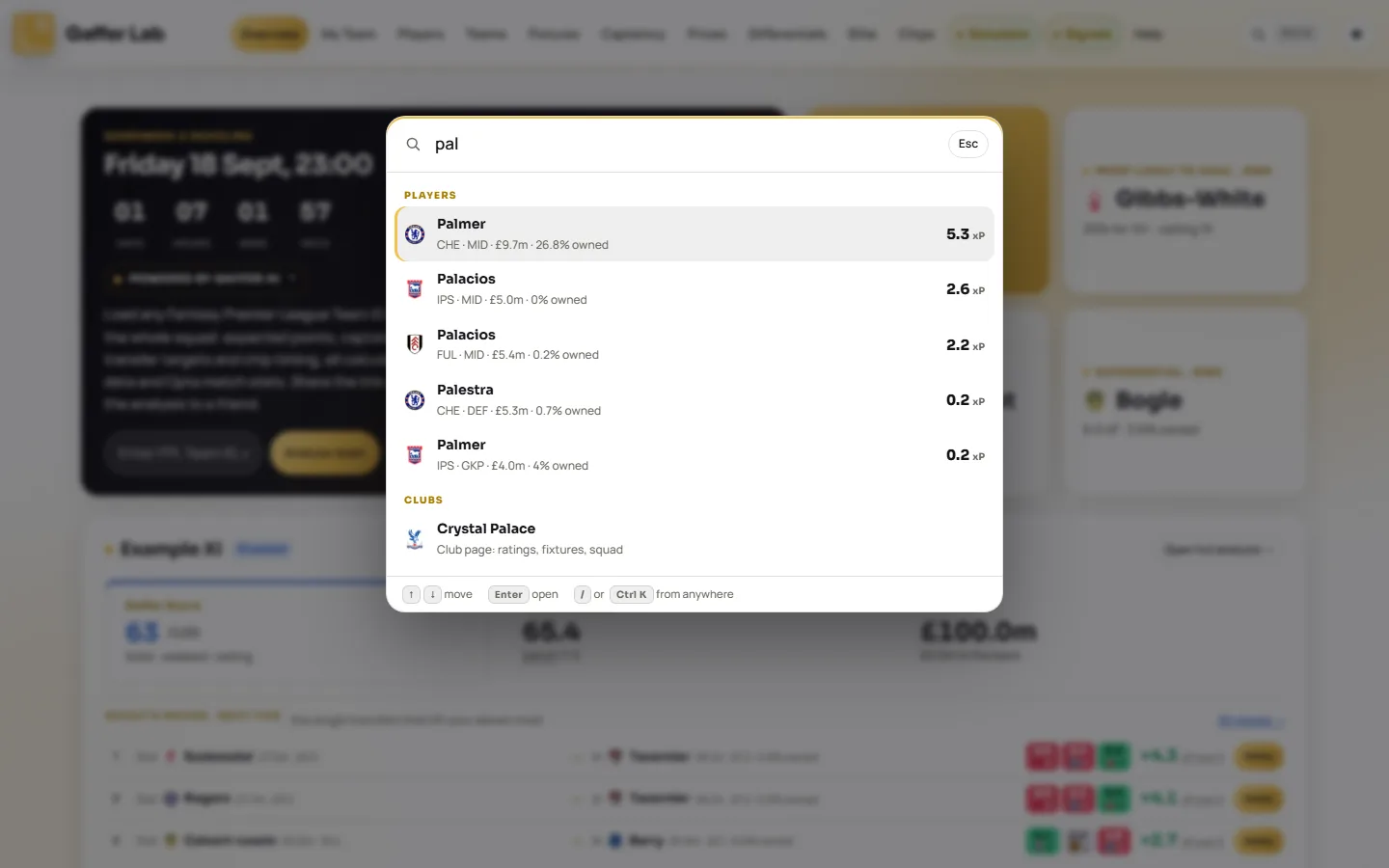
- Search from anywhere. Press Ctrl K (Cmd K on a Mac) or /, or use the magnifier in the header. Type a player to open his panel, a club for its page, a page name to jump there, or a term such as EO for its meaning.
- Chips. A dedicated chip planner is on the way. Today, chip advice for your squad lives on My Team, the Triple Captain week is on Captaincy, and doubles and blanks show on the Overview and the fixture ticker.
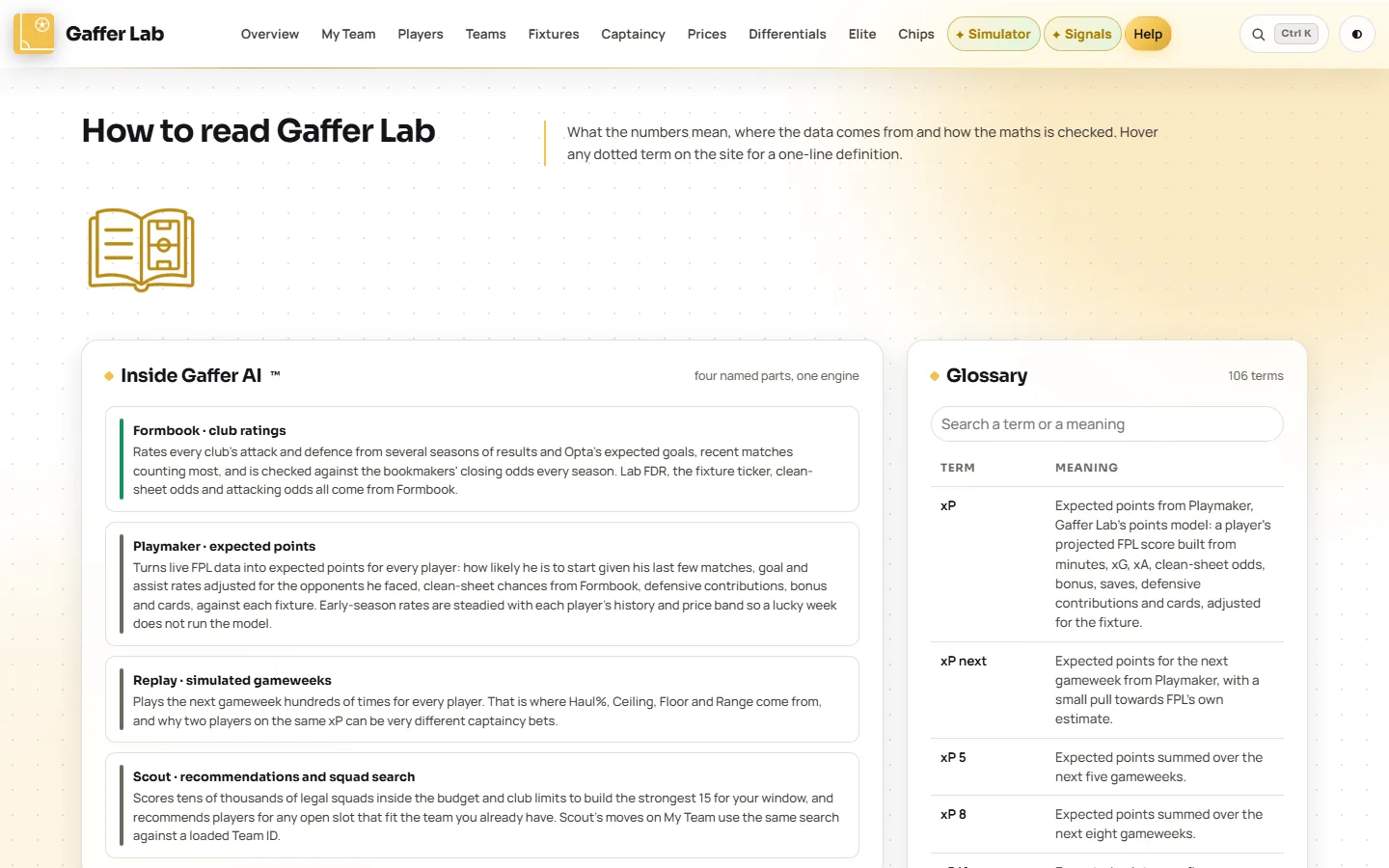
- Help. Plain-English explanations of expected points, Haul%, Ceiling and Floor, Lab FDR and the club ratings, how the numbers are checked, plus a searchable glossary of every term.
- It keeps itself current. When a deadline passes and FPL reopens on the new gameweek, the page reloads its data without being asked.
- Hover any dotted term anywhere on the site for a one-line definition. On a phone, tap it.
- Click any player or club, wherever the name appears, to open the player panel or the club page.
- Your players are marked with a teal edge on every list once a team is loaded.
- Works on a phone: a tab bar at the bottom, the same pages and the same numbers.
- Light and dark themes, switched from the button at the top right.
Your mates guess. You'll know.
Gaffer Lab is invite only for now. If someone told you about it, ask them for their invite link, or use "Request an invite" on the front page where it is offered. Then load your Team ID and start with My Team.
Open Gaffer Lab